
- Getting Started with Ultimate Addons for Elementor
- Getting Started with Ultimate Addons for Elementor Pro
- How To Install The Ultimate Addons For Elementor Pro Plugin?
- How to Get License Key of Ultimate Addons for Elementor?
- Activate Ultimate Addons for Elementor Pro License
- How Can I Upgrade the License?
- How to Update Ultimate Addons for Elementor Plugin?
- How to update any plugin manually through FTP?
- About Beta Versions
- About Beta Versions
- How to Enable / Disable Widgets in UAE to Reduce Server Requests?
- How to White Label UAE?
- Getting Started with Ultimate Addons for Elementor Pro
- UAE Saved Sections
- How to create Google API key in Google Maps Widget of UAE?
- White Screen /500 Error After Plugin Installation
- How to Increase the Memory Limit of your site?
- Unable to see the Font Awesome 5 Icons in UAE’s widgets?
- Introducing User Registration Form Widget
- How to Create a User Registration Form using Elementor?
- How to Create a User Registration Form with Only Email Field in Elementor?
- Frequently Asked Questions about User Registration Forms
- Google reCAPTCHA v3 in User Registration Form for Elementor
- Honeypot field in User Registration Form for Elementor
- Filters/Actions for User Registration Form Widget
- How to Integrate hCaptcha with UAE Login & Registration Forms
- How to Create a Facebook App ID for Login Form Widget?
- How to Create a Google Client ID for Login Form Widget?
- Introducing a New Login Form Widget for Elementor
- Filters/Actions for Login Form Widget
- Google reCAPTCHA v3 in Login Form for Elementor
- How to Integrate hCaptcha with UAE Login & Registration Forms
- How to Open a Modal Popup on the Click of an Elementor Widget?
- Modal Popup Widget
- How to Trigger a Modal Popup on the Click of a Menu Element?
- How To Close a Modal Popup on the Click of a Button or Text?
- How to Insert a Video in the UAE Modal Popup?
- What are the Various Options to Close a Modal Popup in UAE?
- How to Display a Modal Popup on Exit Intent?
- Modal Popup JS Triggers
- Woo – Products Widget
- How to display exact WooCommerce product with Query Builder?
- How to set Grid and Carousel layout for WooCommerce products?
- Filters/Actions for WooCommerce Products
- How to enable Quick View for WooCommerce Products?
- How to Exclude WooCommerce Products with Woo-Products Widget?
- How to Set Featured Products in WooCommerce?
- Woo – Products Carousel Does Not Display Correctly?
- How to Display Related Products with Woo-Products Widget?
- How To Add Rows And Columns to the Table?
- Table Widget
- How to add Table Header with Table Widget?
- How to add Table Content with Table Widget?
- How to add Sortable and Searchable Table? How to Show Entries Dropdown?
- How to Merge Columns and Rows in Table?
- How to Style the Table?
- Create Table by Uploading CSV
- Facing Issues with CSV Import?
- Image Gallery Widget
- How to Set Categories for Images?
- How to Add an Image Caption
- How to Set a Custom Link for the Image?
- How to Design Filterable Image Gallery?
- How to Open a Webpage with the Click of an Image?
- How to Set Scale, Opacity, Effects, Overlay Color for Images?
- How to Display Specific Category Tab as a Default on Page Load?
- How to Set Icon on Image Hover?
- Video Gallery Widget
- How to Set Categories for Videos?
- How to Design Filterable Video Gallery?
- How to Display Specific Video Category Tab as a Default on Page Load?
- How to Set a Custom Placeholder Image for the Video?
- How to Set Overlay Color on the Video Thumbnail on Mouse Hover?
- How to Show Video Caption on Hover?
- How to Show Video Category on Hover?
- Bulk Editing for Video Category Names
- How to Style Particular Item / Icon?
- Timeline Widget
- How to Change the Vertical Position of Arrow & Icon?
- How to Set On-Scroll Color for Connector Line and Icon?
- How to Set the Alternate Alignment for the Card Content?
- How to Manage Timeline on Responsive View?
- How Query Builder Works for Post Timeline?
- How to Set Post as Sticky?
- Enable Infinite Load Pagination for Post Timeline
- Posts Widget
- How Query Builder Works for Posts Widget?
- How to Enable Infinite Load Pagination for Posts?
- Filters/Actions for Posts Widget
- Filterable Tabs for Posts Widget
- Layouts for Posts Widget
- Posts Widget Carousel Does Not Display Correctly?
- Displaying Portfolios in UAE Post Widget Using Custom Filters
Advance Search
Advanced Search for Elementor
The Advanced Search widget in Ultimate Addons for Elementor allows you to create powerful, AJAX-powered live search functionality on your website. It supports multiple post types, taxonomy-based search, trending searches, sorting, load more pagination, and advanced filtering, all without page reload.
Overview
The Advanced Search widget helps users instantly find relevant content across your website. It supports:
- Live AJAX search
- Multiple layout options
- Search across posts, pages, CPTs & media
- Taxonomy-based search (categories, tags, custom taxonomies)
- Trending search suggestions
- Load More pagination
- Sorting & performance optimization controls
How to Add the Widget
Follow these simple steps:
- Edit your page with Elementor
- Search for Advanced Search in the widgets panel
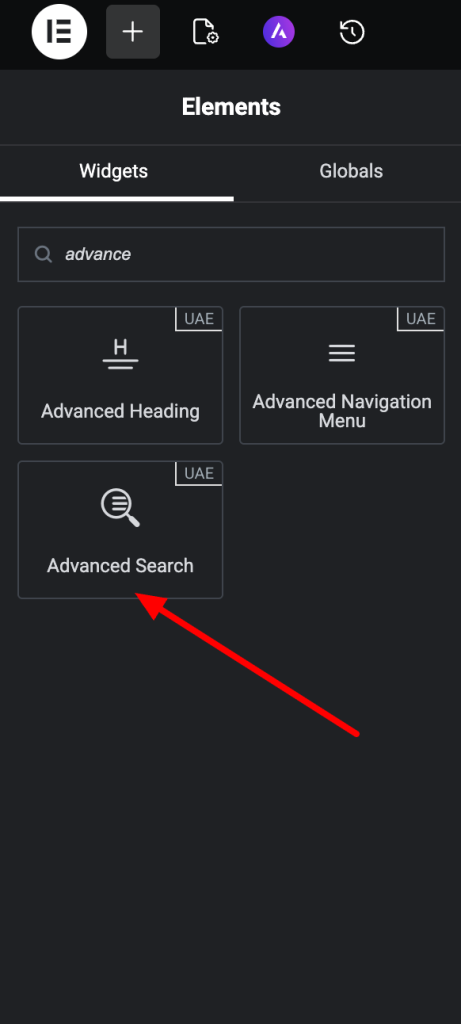
- Drag and drop it onto the page
- Customize using the Content and Style tabs
That’s it, your advanced search is ready in seconds.
Content Tab Settings
1. Search Box
Configure how the search interface appears.
Layout Options
Choose from:
- Input Box – Displays only the search input field.
- Icon – Displays a search icon that expands on click.
- Input Box with Button – Displays an input field with a button.
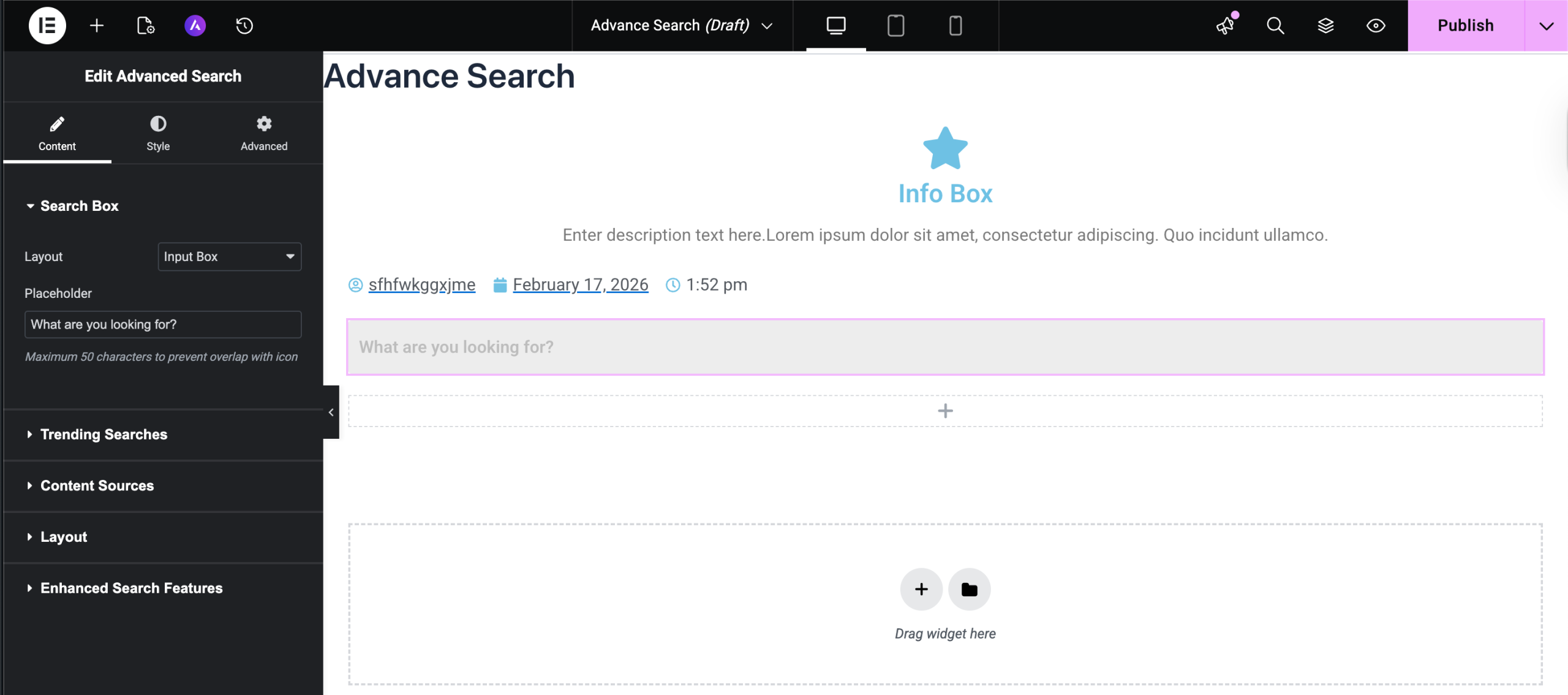
Placeholder – The text inside the search bar can be defined here. (Maximum 50 characters to avoid overlapping issues with Icon)
Button Settings (Input Box with Button layout)
- Button Text
- Button Icon
- Icon Position (Before / After text)
Icon Settings (Icon layout)
- Show/Hide Icon
- Icon Position (Left / Right)
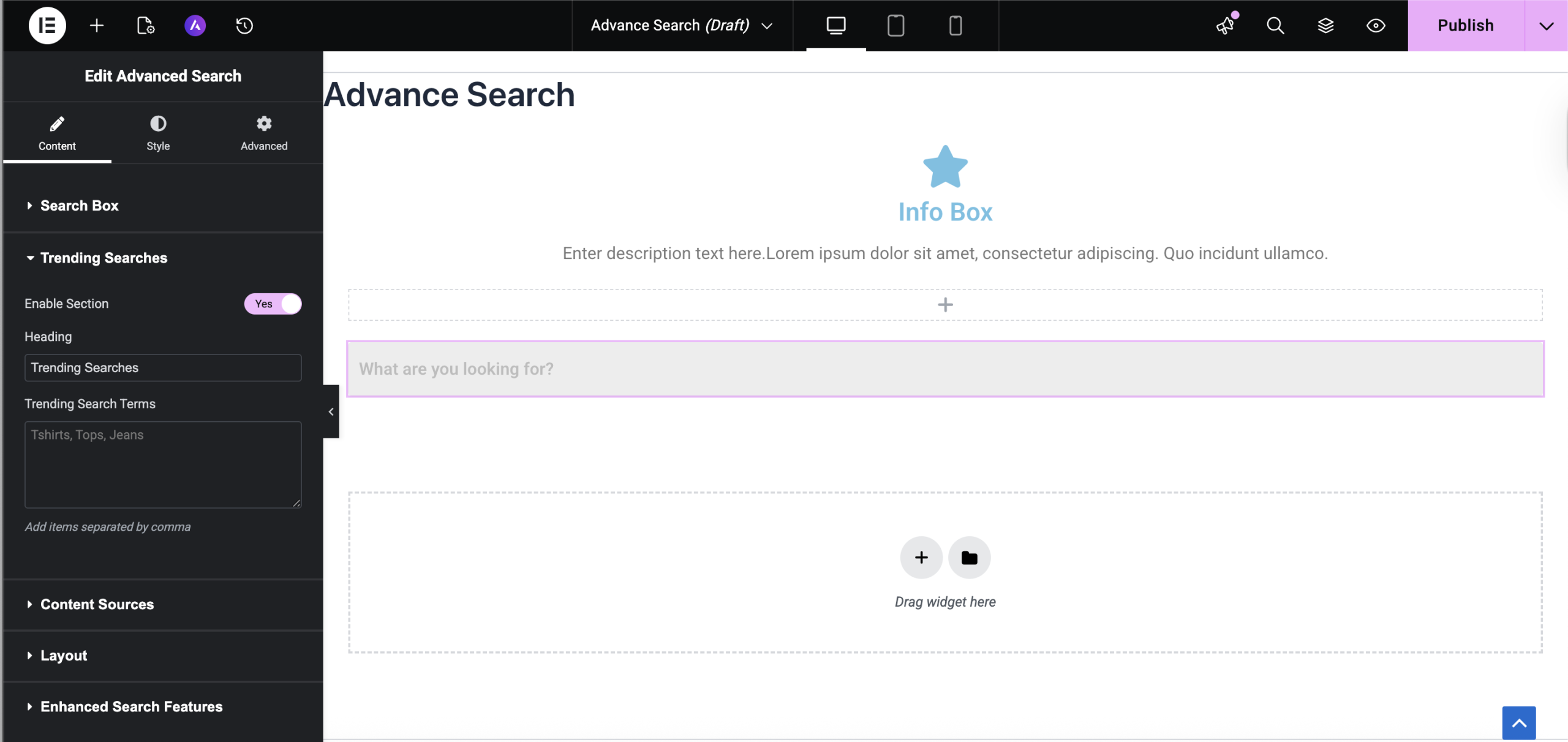
2. Trending Searches
Display suggested search terms before the user starts typing.
Enable Trending Searches and configure:
- Heading text
- Comma-separated search terms
Example: WordPress, Elementor, Plugins
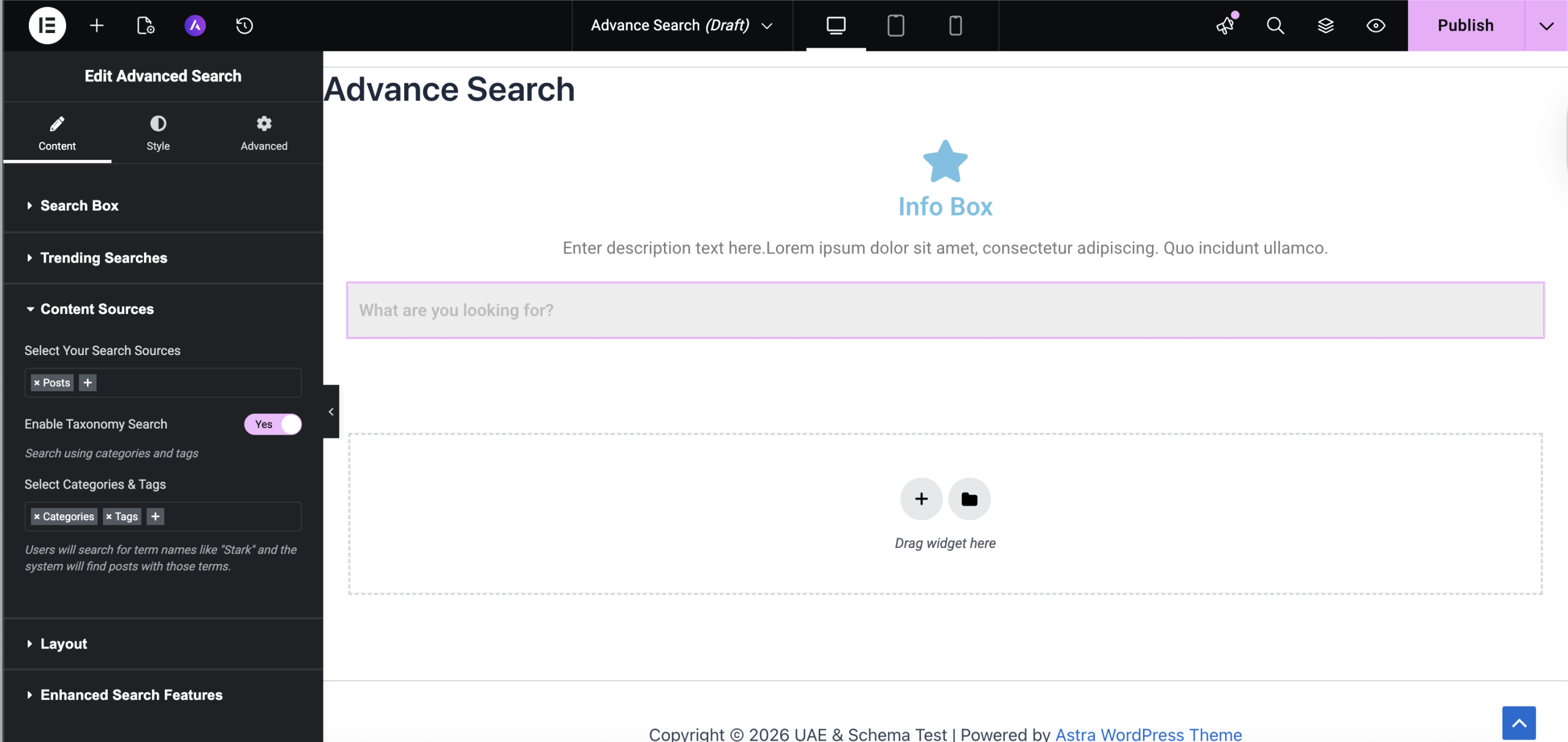
3. Content Sources
Choose what content should be searchable.
Select Search Sources
You can search across:
- Posts
- Pages
- Custom Post Types
- Media (attachments)
Certain system post types are automatically excluded for security and performance reasons.
Enable Taxonomy Search
Allow users to search by:
- Categories
- Tags
- Custom taxonomies
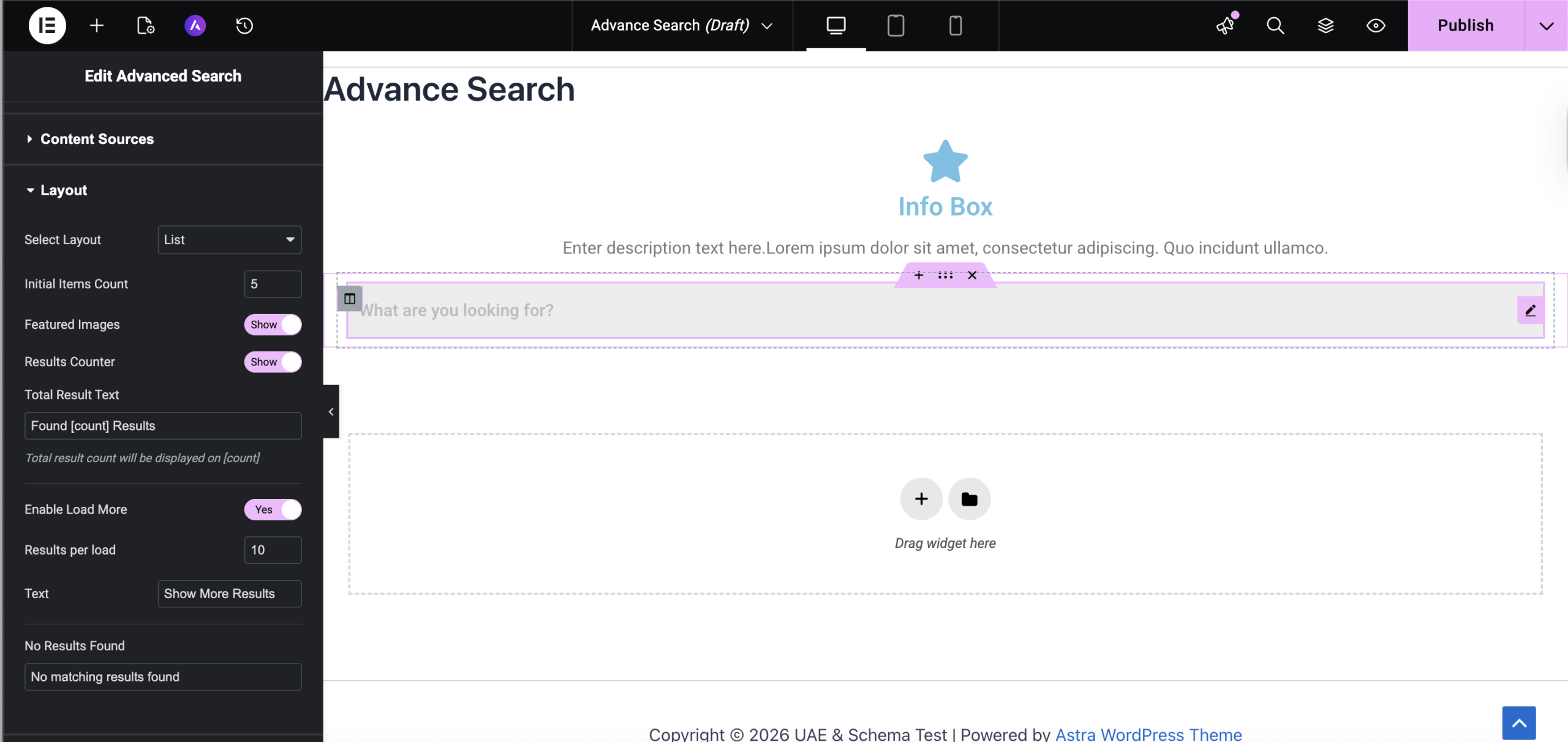
4. Layout Settings
Control how results appear.
Layout Type
- List (Rows)
- Grid (Columns)
Initial Items Count – Number of results shown initially (1–20).
Featured Image – Show or hide post thumbnails.
Results Counter – Display total results using:
Found [count] Results – ([count] dynamically updates.)
Load More – Enable Load More to display additional results without reloading the page.
You can configure:
- Results per load
- Button text
No Results Message – Customize the message shown when no results are found.
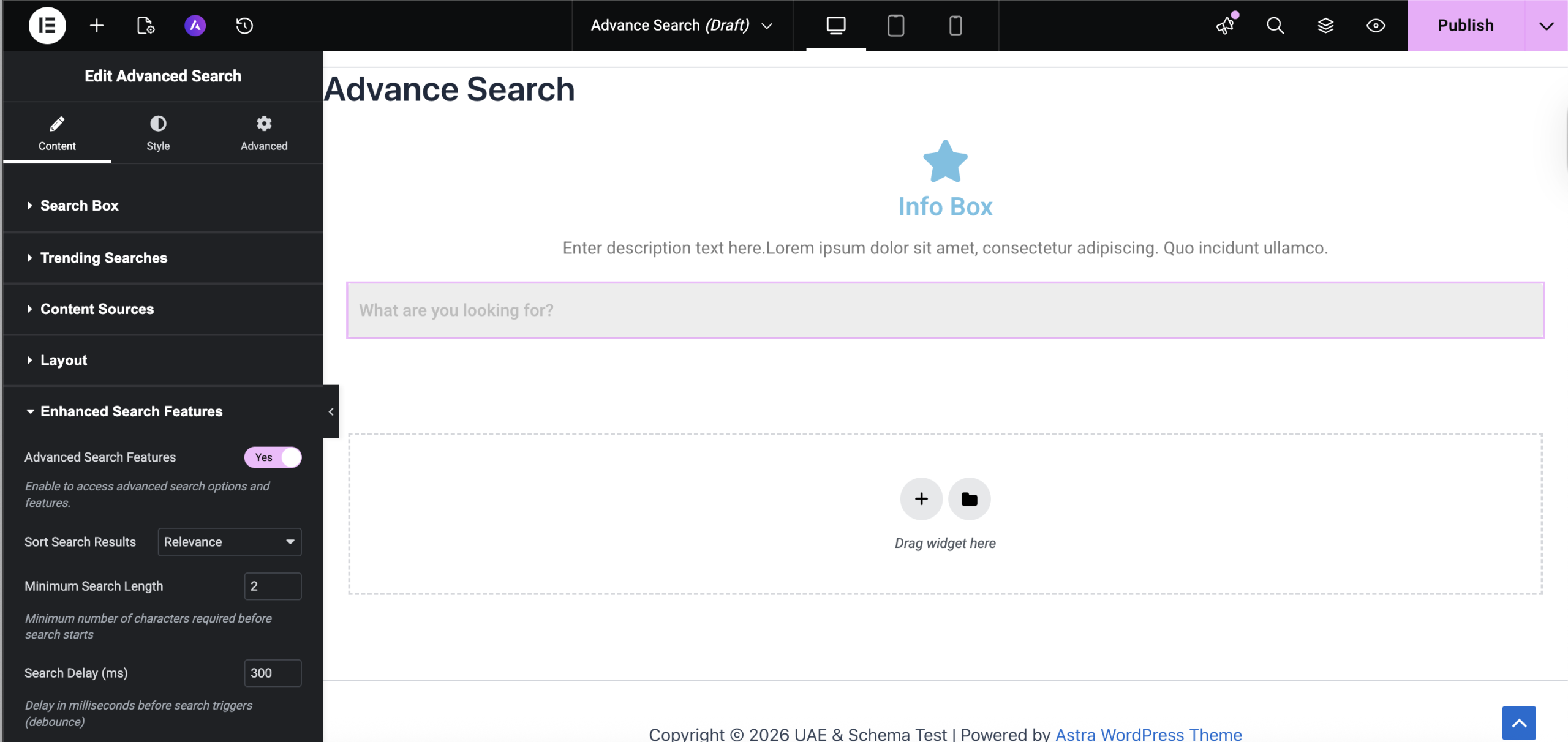
5. Enhanced Search Features
Enable advanced performance and sorting controls.
Advanced Search Features (Master Toggle)
When enabled, you can configure:
Sort Results By
- Relevance
- Date (Newest / Oldest)
- Title (A–Z / Z–A)
- Most Commented
- Recently Modified
- Menu Order
Minimum Search Length
Minimum characters required before search triggers.
Search Delay (Debounce)
Set delay in milliseconds (100–2000ms) to prevent excessive AJAX requests.Default: 300ms
Style Tab Settings
The Style tab allows full customization of the search interface.
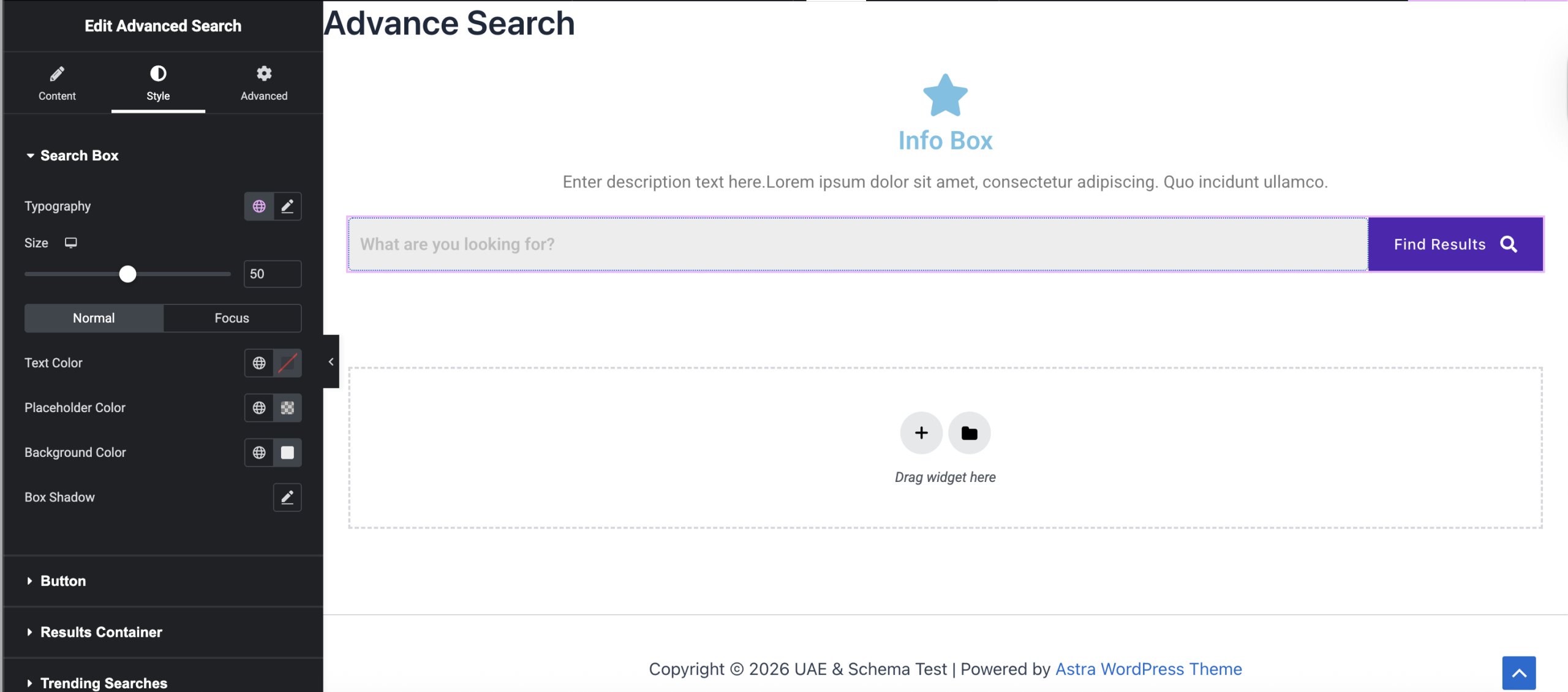
Search Box Styling
Customize:
- Typography
- Height
- Text Color
- Placeholder Color
- Background
- Border & Radius
- Box Shadow
- Focus State styling
Button Styling
(Available in “Input Box with Button” layout)
Customize:
- Text & Icon color
- Background (Classic / Gradient)
- Hover colors
- Width
- Icon size & spacing
Icon Styling
(Available in “Icon” layout)
Customize:
- Icon color
- Hover color
- Icon size
Results Container
Style the dropdown results area:
- Background
- Padding
- Border
- Border Radius
- Box Shadow
Trending Searches Styling
Customize:
- Heading typography & color
- Badge text & background
- Hover styles
- Border radius
- Spacing & layout (Inline / Block)
Load More Button Styling
(Need to enable the Load More functionality)
Customize:
- Text color
- Background
- Hover styles
- Typography
- Padding
- Border & Radius
- Alignment
- Hover animations
Troubleshooting
Search Not Triggering?
- Ensure minimum search length is met.
- Check if Advanced Features are enabled (if using sorting).
No Results Found?
- Verify selected post types under Content Sources.
- Ensure posts are published.
- Confirm taxonomy terms exist if using taxonomy search.
Load More Not Working?
- Make sure it is enabled under Layout settings.
- Check console for JavaScript conflicts.
We don't respond to the article feedback, we use it to improve our support content.